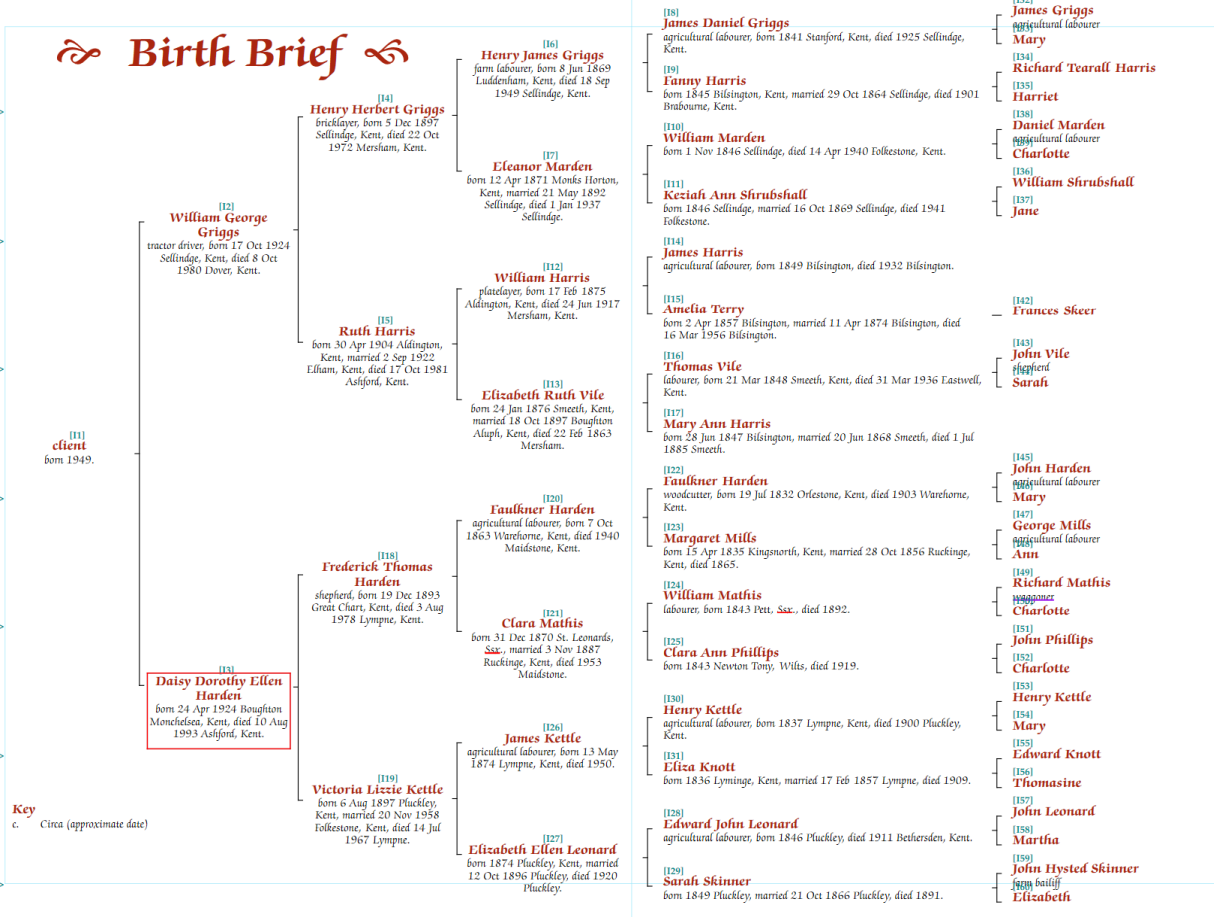
A birth brief chart starts from a single person and shows their ancestors horizontally, providing an at-a-glance summary back to the great-great-great-grandparents:
Click New Chart on the Charts tab and select "Birth Brief". You will be prompted to choose the starting person.
Editing is similar to other chart types, through the Chart Properties panel, though many options that apply to descendant charts are not relevant to this fixed-size format.
To show the starting person’s full siblings on the chart, check Show siblings in the Advanced Parameters section of the General tab.
The Default row height value can be adjusted to control the spacing of the siblings when this option is enabled.