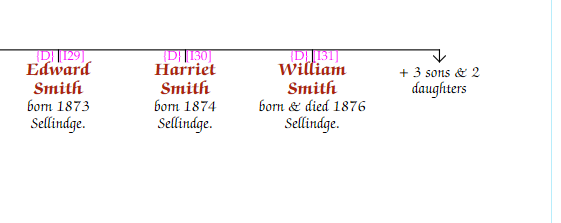
In rare cases where space is very tight and certain children are not of interest, they can be "bunched" — replaced on the chart with summary text such as "3 sons + 1 daughter".
To bunch children: select the parent node so the family drop line is active. On the Family tab of the Chart Properties panel, click the … button next to Bunch children. A dialog lets you select which children to bunch.
To clear bunching, reopen the dialog and deselect all children.