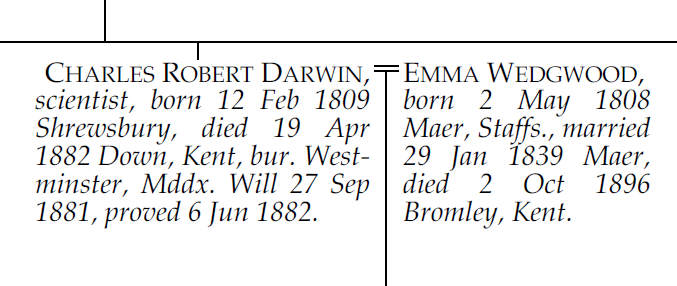
Pedigree Forge comes with several pre-defined chart styles, controlling fonts, colours, and text formatting. Select a style from the Style drop-down on the Style tab of the Chart Properties panel.
The default style, used in most examples in this guide.
Inspired by printed family history books — a "wordy" style with no colour and justified text:
Ticking Alternative style for a person picks them out by showing their name in bold small capitals.
Similar to Antiquarian, but with an Old English font title, as often used in printed Visitations:

Ticking Alternative style for a person picks them out by showing their name in bold small capitals.
A style with a Celtic-inspired font:
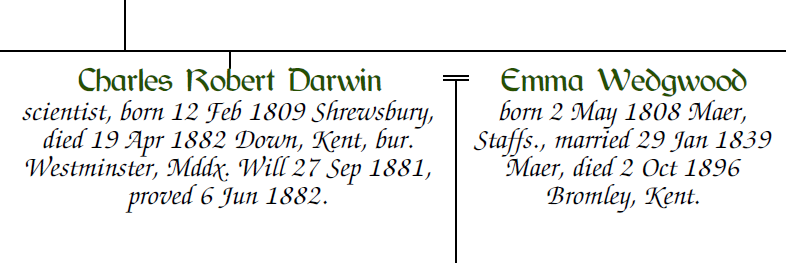
A whimsical style inspired by monastic handwriting:
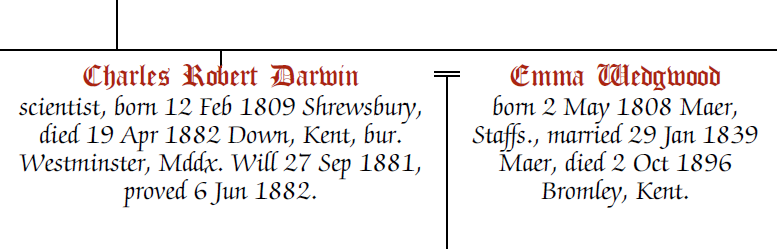
A modern, plain style with a clear sans-serif font:
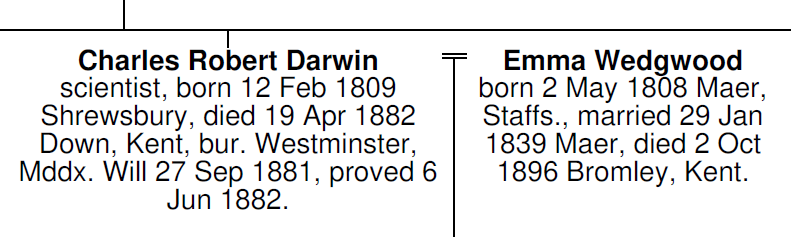
A clean serif style suited to charts intended for publication. Like Georgian it uses an understated black serif face, but each person’s name, dates, and other details are set out separately rather than run together as a single block of text.
A clean sans-serif style, similar in spirit to Minimalist but with the person’s name in a normal weight by default.
Aldine and Lineal both keep every name in the same plain weight so that no individual stands out — unless you choose to highlight one. Ticking Alternative style for a person renders just that person’s name in bold, making it easy to pick out the subject of the chart or another key individual.
A set of colour palettes named after heraldic tinctures can be applied to many styles:
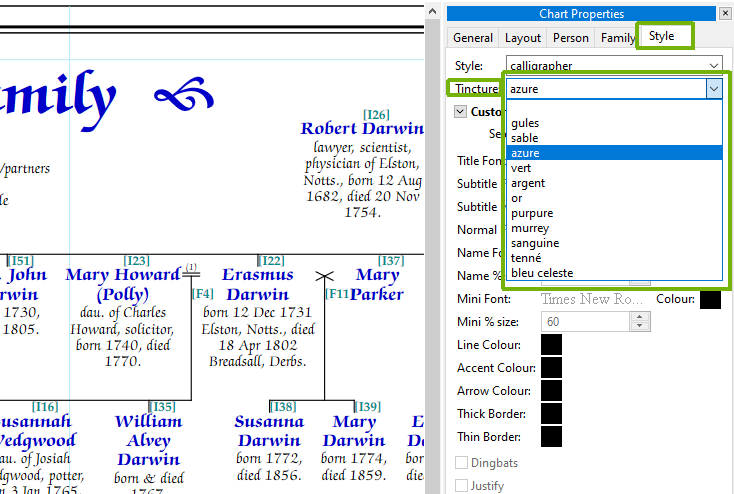
If the built-in styles do not meet your needs, set the style to "Custom" on the Style tab. You can then choose fonts, sizes, and colours for each chart element individually.