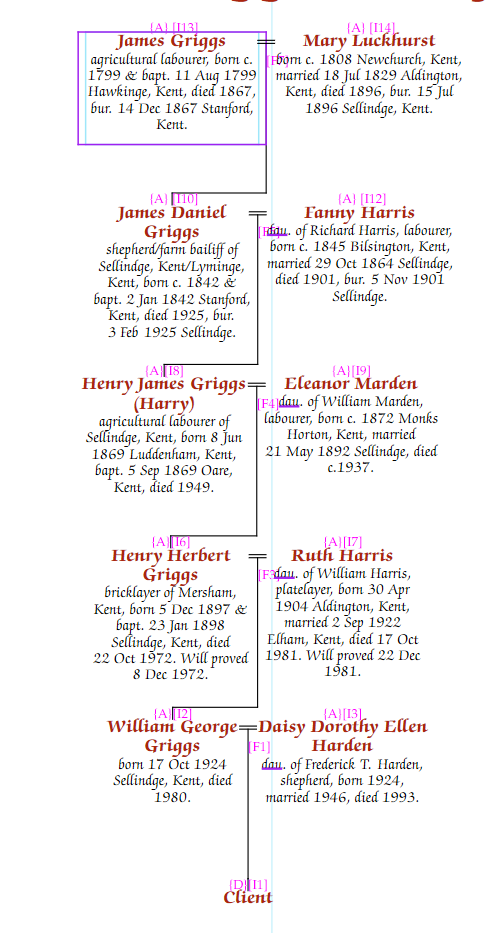
A direct line chart shows only the family path between two people, ignoring all siblings and other marriages at each generation. It is useful for illustrating the connection from a distant ancestor down to a living person.
Click New Chart on the Charts tab and select "Direct Line Chart". You will be asked to select two people — the ancestor and the descendant. The chart determines the direct path between them automatically.
The two people must be in a direct ancestor–descendant relationship. If they are not, an error message is shown.
The chart is created in portrait orientation with the number of generations set to cover the full path. Only the families along the direct line are shown — other marriages of people on the path are suppressed.
Use the usual width and position controls to refine the appearance.
To show the destination person’s full siblings alongside them on the bottom row, check Show siblings in the Advanced Parameters section of the General tab. The rest of the chart is unaffected — only the direct line itself is shown for earlier generations.
To include just particular people rather than a whole family, list their IDs in the Direct to box separated by ;. Each listed person appears in a box beside the line at their own generation — for example, listing a great-uncle as well as the destination person adds him alongside his brother or sister on the line.
You can also set the direct-to target manually on any descendant chart:
Setting a Direct to target on a descendant chart automatically enables direct-line behaviour — other families along the path are suppressed.