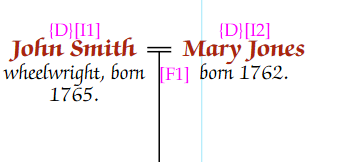
By default, a couple are shown with an “=” symbol between them:
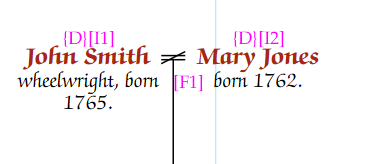
If it is known that a couple never married, then the “X” symbol can be used. To do this, the person’s data must be edited in the main database.
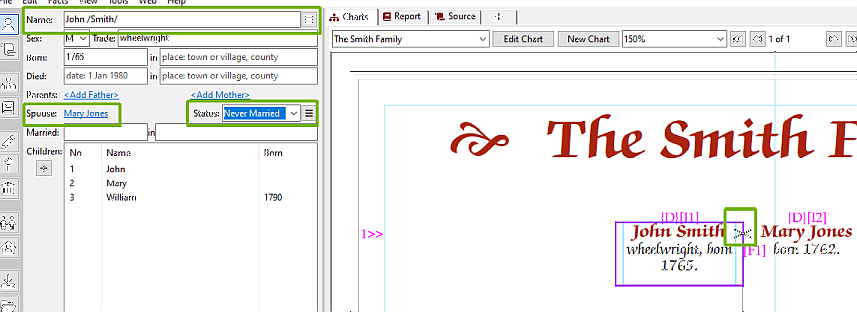
Make sure that one of the couple is the selected person, and that their correct spouse is shown if there is more than one. In this case, John Smith is selected, as is his spouse, Mary Jones.
Then change the “Status” drop down box to “Never Married”. The family symbol on the chart will change to an “X”.
This might not always be appropriate, particularly with modern families. So rather than selecting “Never Married”, “Cohabiting” can be selected. This will show the “=” symbol is usual, but the key will be updated to indicate that the “=” symbol is also used for non-married couples.
A divorced symbol “=” with a bar through it, can also be shown. To do this, the couple have to have a divorce fact in their family. To do this, make sure that the correct person and spouse are selected, then select “Facts” from the menu bar, then “Add Couple fact” and “Divorce” from the sub menus.
This can be removed by deleting the divorce fact from the fact grid. The same process, and symbol is used for an annulment.