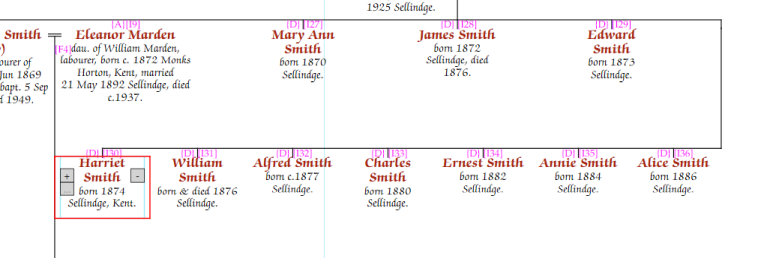
Curl back wraps the remaining siblings onto a second row below, reducing the width of a wide family.
In editing mode, select the sibling that should be the first on the new row, right-click (or click …), and choose "Curl back 1 row". The selected sibling and all younger siblings continue in order on the row below.
To remove the curl back, right-click the same sibling and choose "Clear curl back".