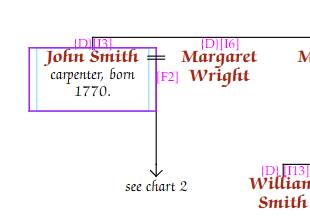
You can replace all children of a family with a text label — for example, "see Chart 2" or "issue not shown".
Select the family in editing mode, go to the Family tab of the Chart Properties panel, and enter your text in the Text instead of kids field.