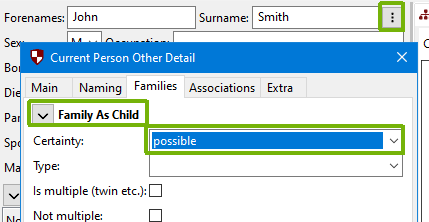
On occasions, it might be desirable to show on a chart a child-parent relationship that is plausible, but unproven. This is often shown with a dashed, rather than a solid line. To do this, make sure the active person is the child in the relationship. Then click on the button next to the ⋮ person’s name on the person editing panel. Then set the “Certainty” value in the “Family As Child” section of the dialog box that appears.
The values “challenged”, “possible”, or “probable”, will cause the line to their parents to be dashed, as per the example below, and a relevant entry added to the charts key.
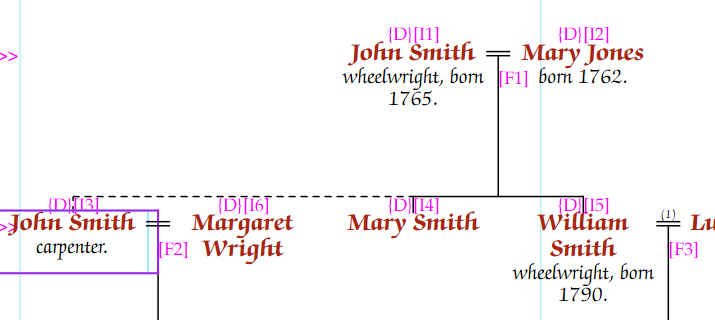
Setting the “Certainty” drop down box back to empty will clear the line. If multiple siblings are set as uncertain, then the lines should update correctly.