
Pedigree Forge can work with charts that start with a particular person and shows their ancestors. This is the reverse of a normal drop-line chart, which starts with one or more person and works forward.
To create an ancestor chart, click on the “New Chart” button located on the “Charts” tab, and then select “Ancestor Chart” from the drop-down menu:
You will then be prompted to select the starting person and the ancestor chart will be created:
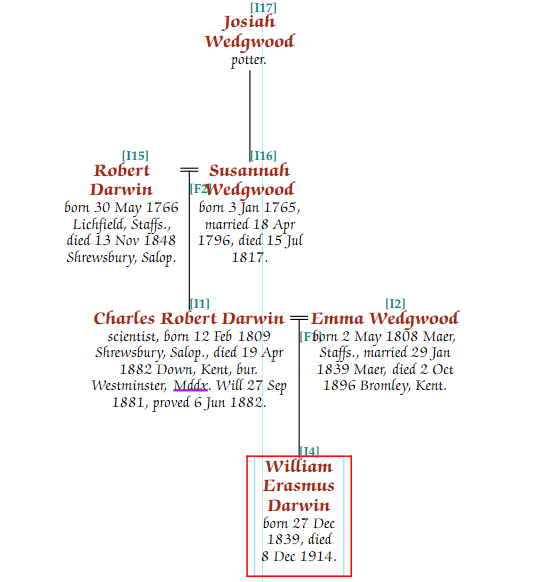
In the above example, William Erasmus Darwin was selected as the starting person, and the chart shows all ancestors entered for him.
Editing ancestor charts is very similar to editing descendant charts, although as the chart is set out from the ancestor at the bottom, and only ancestors are shown, not all customisations work. In particular multiple marriages aren’t shown (only the one from which the starting person is descended) are included.
Ancestor charts don’t show siblings either: they only show the ancestors. Including siblings of each generation as you work back would create a spiders web mess.