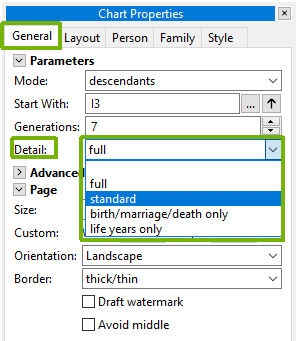
The amount of information shown for each person on a chart can be adjusted globally. Use the Detail drop-down on the General tab of the Chart Properties panel to set the default level for the entire chart.
Higher detail levels include more facts (occupation, burial, etc.); lower levels show only names and key dates. The available levels are:
Individual people can also have their detail customised — see Specific detail.
Where a chart gives the parentage of the people marrying in — dau. of John Smith of Burghwallis Esq. — tick ‘Name the mother too in "dau. of"‘ on the Layout tab to add by his wife Mary Jones after him. It is worth having where a father married more than once, since the mother is what tells the reader which marriage the bride came out of. It has an effect only where the parentage of spouses is shown at all.
Where only the mother is known, the clause names her alone whether or not the option is ticked. To leave her off one person, exclude the Mother fact for them — see Specific detail.