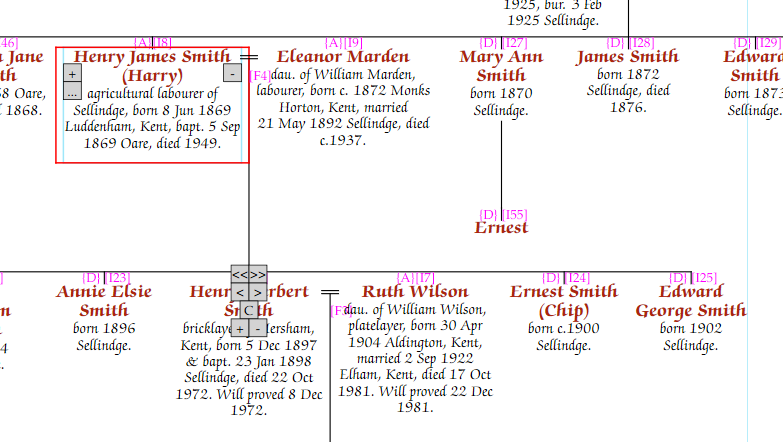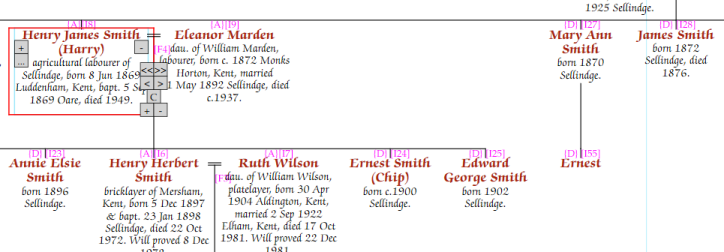
A very useful feature to save space is to “double drop” the descent line from a family, placing the children down 2 rows from the parents, rather than one.
In the following example, the child “Ernest”, son of Mary Ann, means that Mary Ann herself, and her other siblings, are all pushed to the right. However, if we double drop the descent line from Henry James Smith and Eleanor Marden, then Ernest (and consequently Mary Ann and the younger siblings), can all slide left, reducing the width.
Select the family to double drop, in this case it is Henry James Smith and Eleanor Marden. Then either click on the “…” for whichever parent is selected, or right-click on them, so that the pop-up menu will appear.
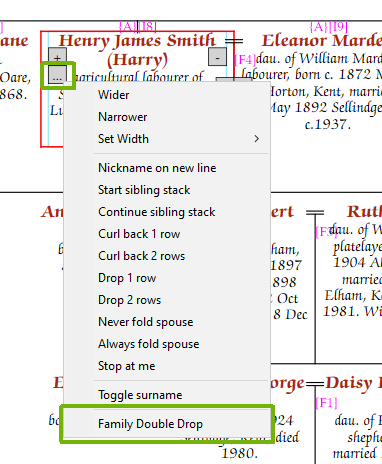
The children of Henry and Eleanor will then double drop, and Ernest will slide right, as will his mother and all the later siblings.
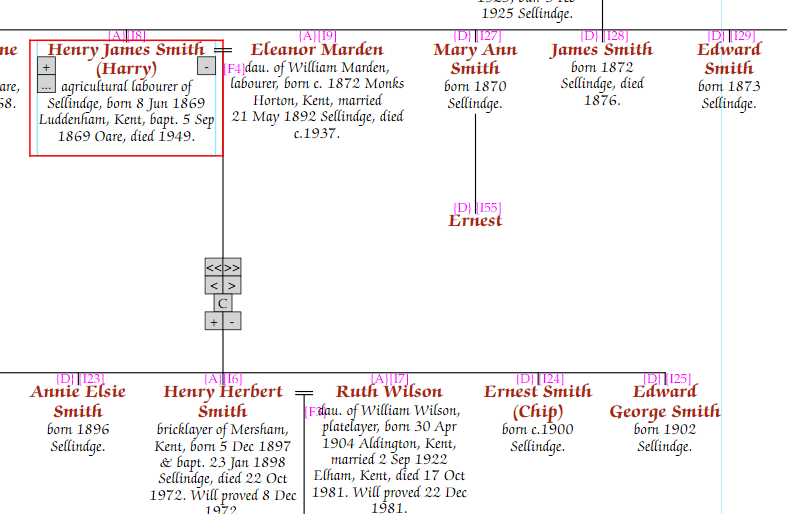
Double drop can be cleared by again making sure the family is selected, using the “…” button, or rightclicking and then selecting “Cancel Family Double Drop” from the pop-up menu, which will appear instead of “Family Double Drop” for a family already double dropped.
When using double drop, it is often worth changing the row height, for which see the section “Row height”, this would give something more like the following: