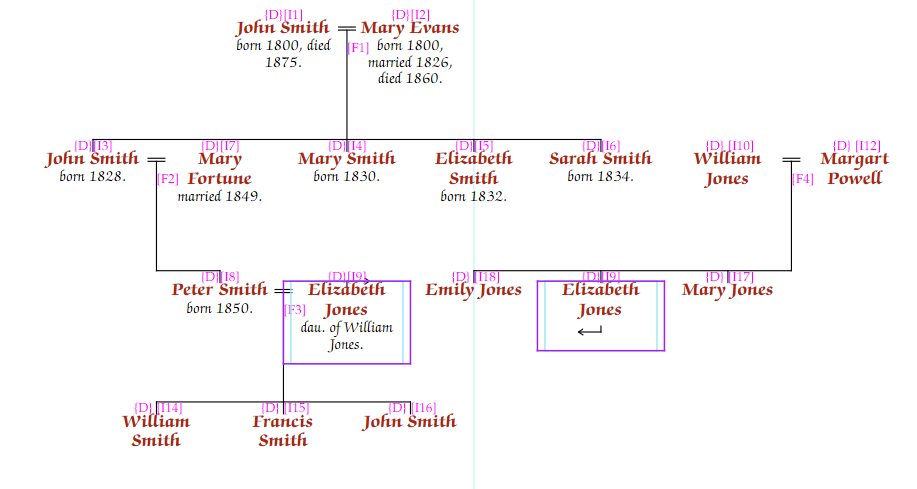
Most descendant charts start with one person (or family) at the top. That is, they generally show descendants of a particular person. Usually, this is the clearest way of organising a descent chart.
It is possible to start with more than one person, and then to have the charts join. Theoretically, Pedigree Forge can handle many starting people, but in practice this becomes hard to work with the more that are added.
First, create a descendant chart, starting with the first person who should head the chart as usual.
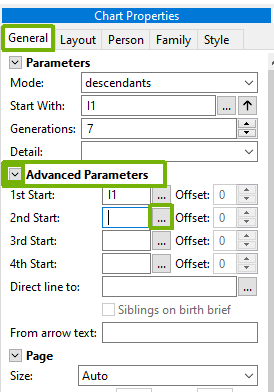
Select the “General” tab from the “Chart Properties” panel, and then open the “Advanced Parameters” section by clicking on the little arrow:
Clicking on the “…” button for the 2nd start person will enable you to select a second person to start from.
Select the person from the list of people in the database, and click “Ok”.
The chart should redraw showing two starting people.
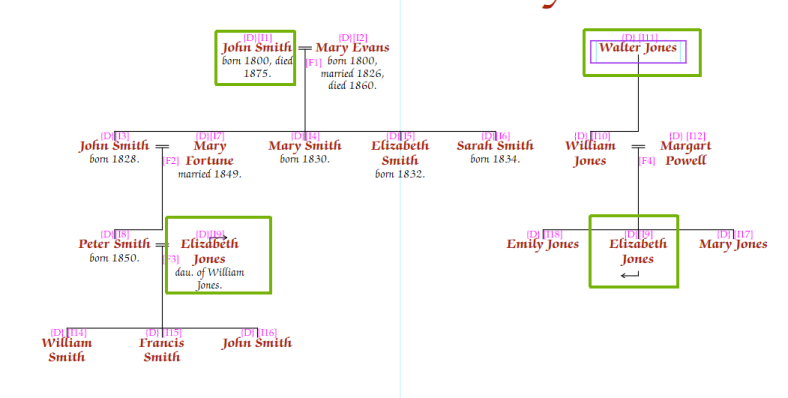
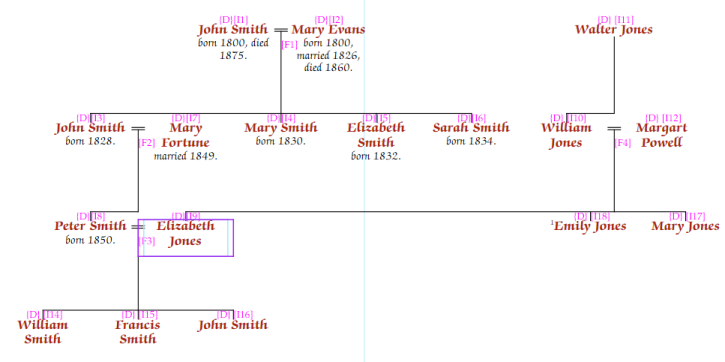
In the above example, John Smith was the original start person for the chart, and Walter Jones (ID I11), was the 2nd start person. As Elizabeth Jones appears on both charts, she is shown twice, connected with arrows.
This is one of the occasions when it might be better to draw children out of sequence, i.e. the chart would benefit from Elizabeth Jones being the first one drawn (see Siblings out of sequence). So we can move her to the left-most sibling of her family:
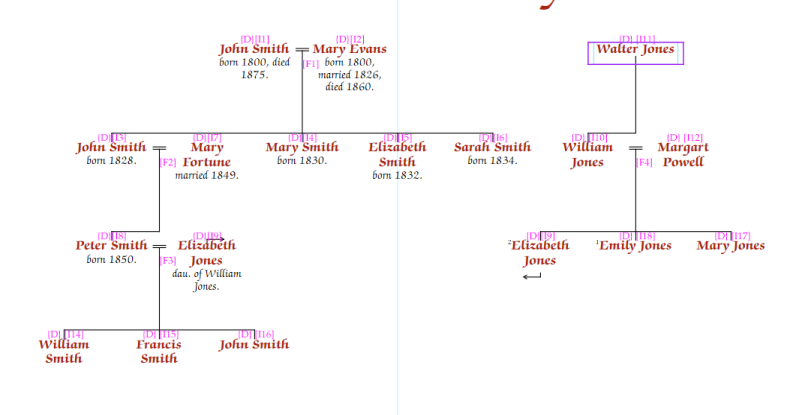
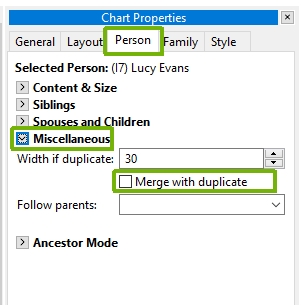
In situations such as that above, we can merge Elizabeth Jones’ entry into a single person. To do this, make sure that Elizabeth is the selected person, and on the “Chart Properties” panel, select the “Person” tab, and check the “Merge with duplicate” check box, which is in the “Miscellaneous” section:
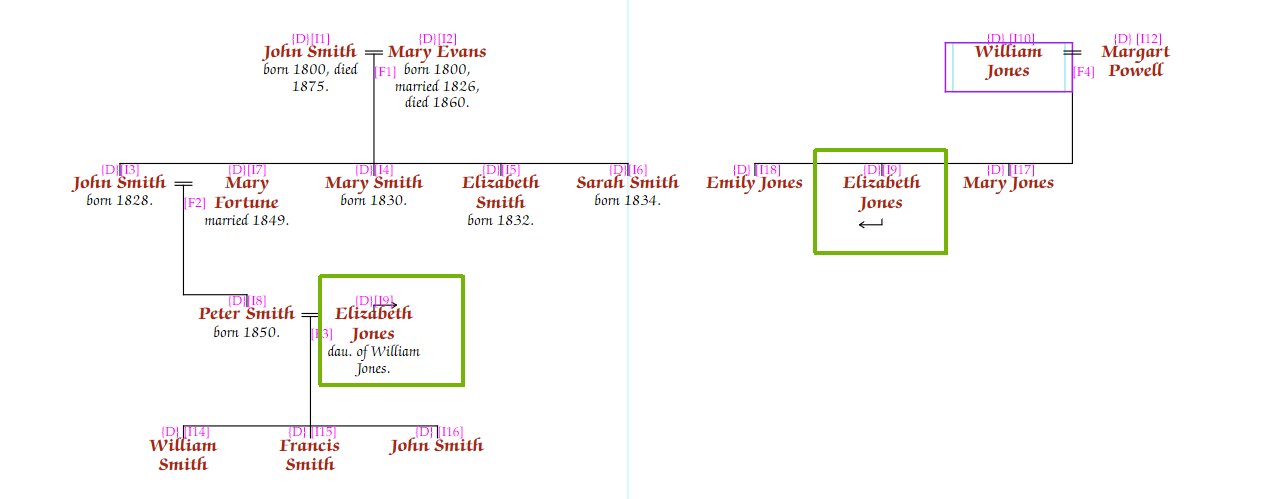
Elizabeth Jones’ entry will then be merged:
Important: The merge duplicate will work even if Elizabeth Jones’ wasn’t the first sibling, or if there were other people between her and her husband. This is one of the few occasions on which Pedigree Forge will fail to layout a chart properly, and might cause lines to cross in error.
In the simple case above, the two starting people and the person who appears on both charts, are at the same number of rows from the top. However, if the Jones family only started with William Jones, it would create a strange looking chart.
To overcome this, one or other of the starting people can be offset by a number of generations (or rows). To do this, from the “Chart Properties” panel, select the “General” tab, and use the “Offset” boxes to adjust.
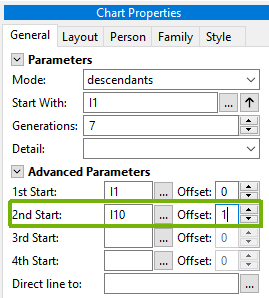
In the above example, offsetting the 2nd start person by 1 generation (row), will once again align Elizabeth Jones, and we can merge her entry as before: