
Pedigree Forge brings together everything a serious family historian needs — stunning charts, properly-sourced reports, and a workflow built around accuracy.
Ten kinds of chart: drop-line descendant, ancestor, hourglass, birth brief, fan, circular, bow tie, direct line, timeline, and a mind map of your research coverage. Each is drawn in one of eight traditional styles, and you can define your own.
A chart is built to fit the paper it will be printed on, whether that is a single sheet, a two-page spread or a wall chart. You control the layout, how much detail each person carries and how the family is arranged.
Charts come straight from the database rather than being drawn by hand, so they are never out of date: correct a date or add a marriage and every chart showing those people is right the moment you next look at it. Export as PDF, SVG, PNG or PowerPoint, or print at any size.
User Benefit: Impress your clients or family members with beautifully designed, professional-grade family trees that visually communicate the intricate details of your research.

Pedigree Forge writes the narrative itself. From the facts, dates, places and sources you have entered, it produces readable biographical prose with a footnote for every claim — and the more you have recorded, the more it has to say: transcribe a census and it will describe the household; record a burial and it will say so. It is rule-based rather than AI, so changing one date changes the sentence that depends on it. Everything comes from the database, so the narrative, the citations and the charts stay in step with your research — correct something once and it is right everywhere.
The result reads like a traditional book rather than a school report: justified text with proper hyphenation, footnotes that split cleanly across pages, no stranded lines left at the top or bottom of a page, a title page, contents, index and abbreviations, with charts and images set into the text. Reports are viewable inside the application itself, and can then be exported to PDF or HTML for printing or sharing — anything from two pages to a bound family history.
User Benefit: Produce professional, referenced reports that showcase your research in an organised, visually appealing format—perfect for sharing or publishing.

Browse the web seamlessly from within Pedigree Forge using an embedded web browser powered by Microsoft’s WebView2. Research genealogical records, archives, and online sources without ever leaving the software.
User Benefit: Save time by keeping all your research tools in one place. No need to switch between applications—access online sources directly from within Pedigree Forge.
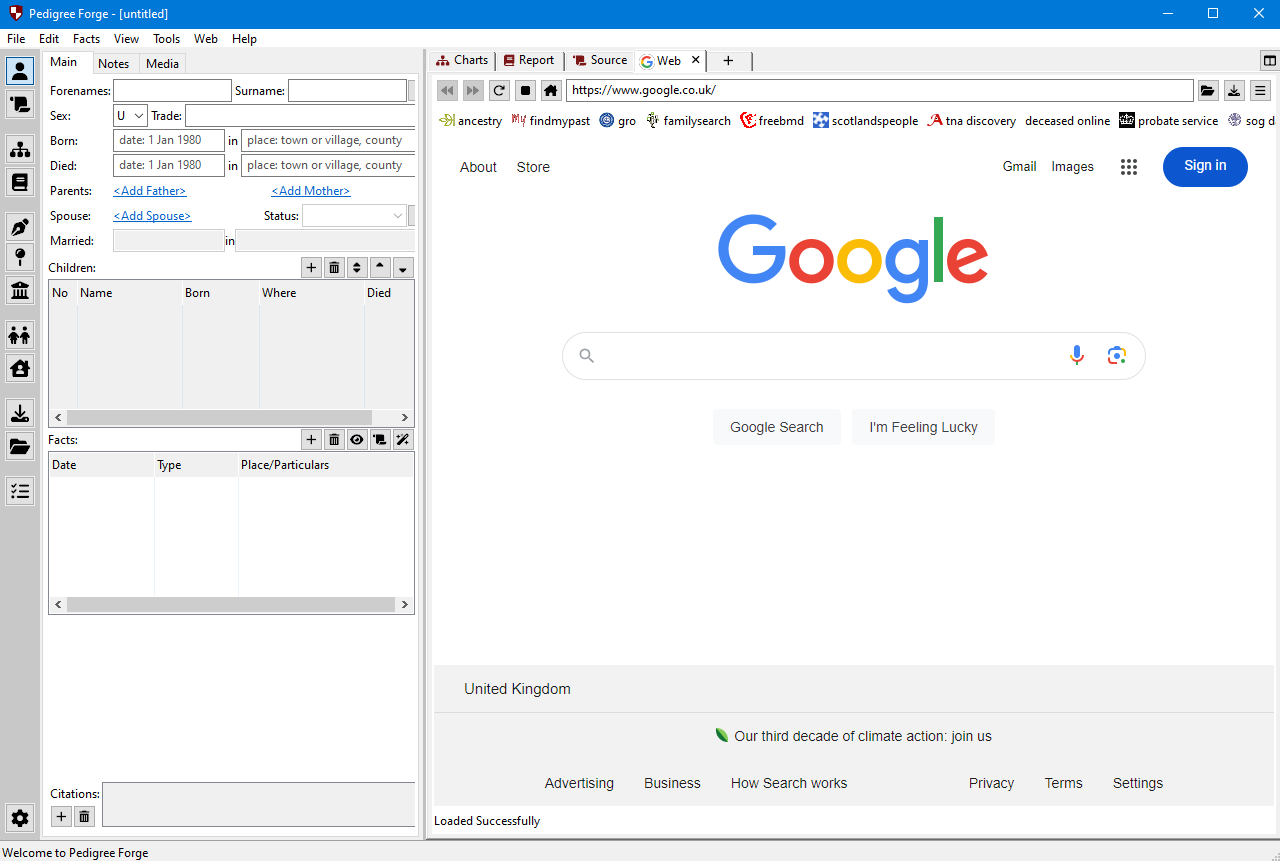
Easily enter family history information such as events, children, and life details. See changes reflected visually in real-time within your charts, ensuring your family trees are always up to date.
User Benefit: Experience a smoother workflow with real-time updates, allowing you to focus on research while ensuring your family tree remains accurate and current.
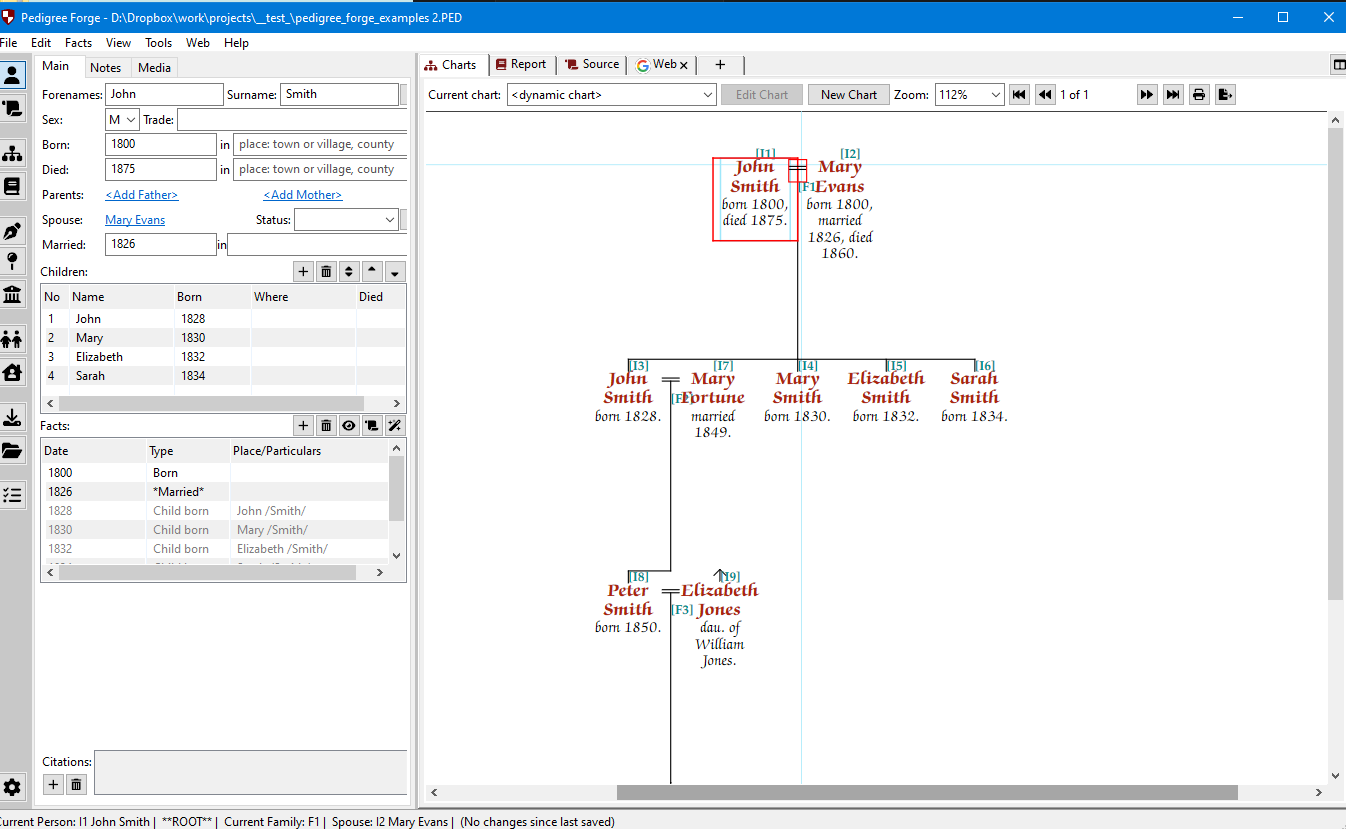
Wherever you write in Pedigree Forge — notes, free-text sections of a report, a chapter of your own — you are in a proper editor rather than a plain text box: formatting, tables that can be kept whole on a page, page breaks, rules and links, with the GB English spell checker running as you type.
It also has merge fields, which draw live values straight out of the database. Drop a person’s name, dates or occupation into your own paragraph as a field, and it stays correct — change the record and your sentence changes with it. Your own writing is then typeset alongside the generated narrative, to the same standard.
User Benefit: Streamline your workflow with the convenience of an integrated word processor for all your genealogical writing needs.
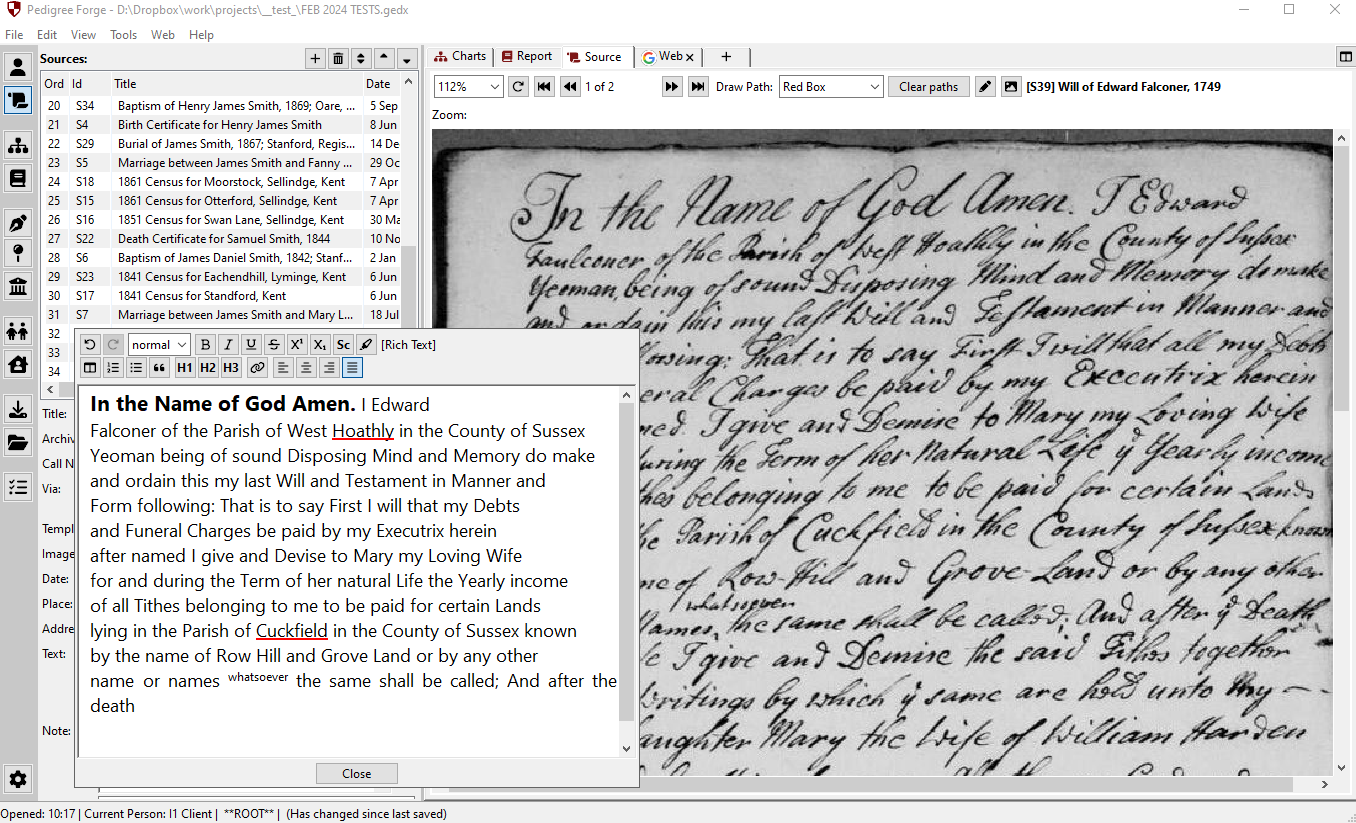
Attach images—such as photos, scans of documents, or historical records—directly to people and sources in your family tree, providing visual evidence for your research.
User Benefit: Bring your family history to life with rich visual content that enhances the documentation and storytelling of your ancestors’ lives.
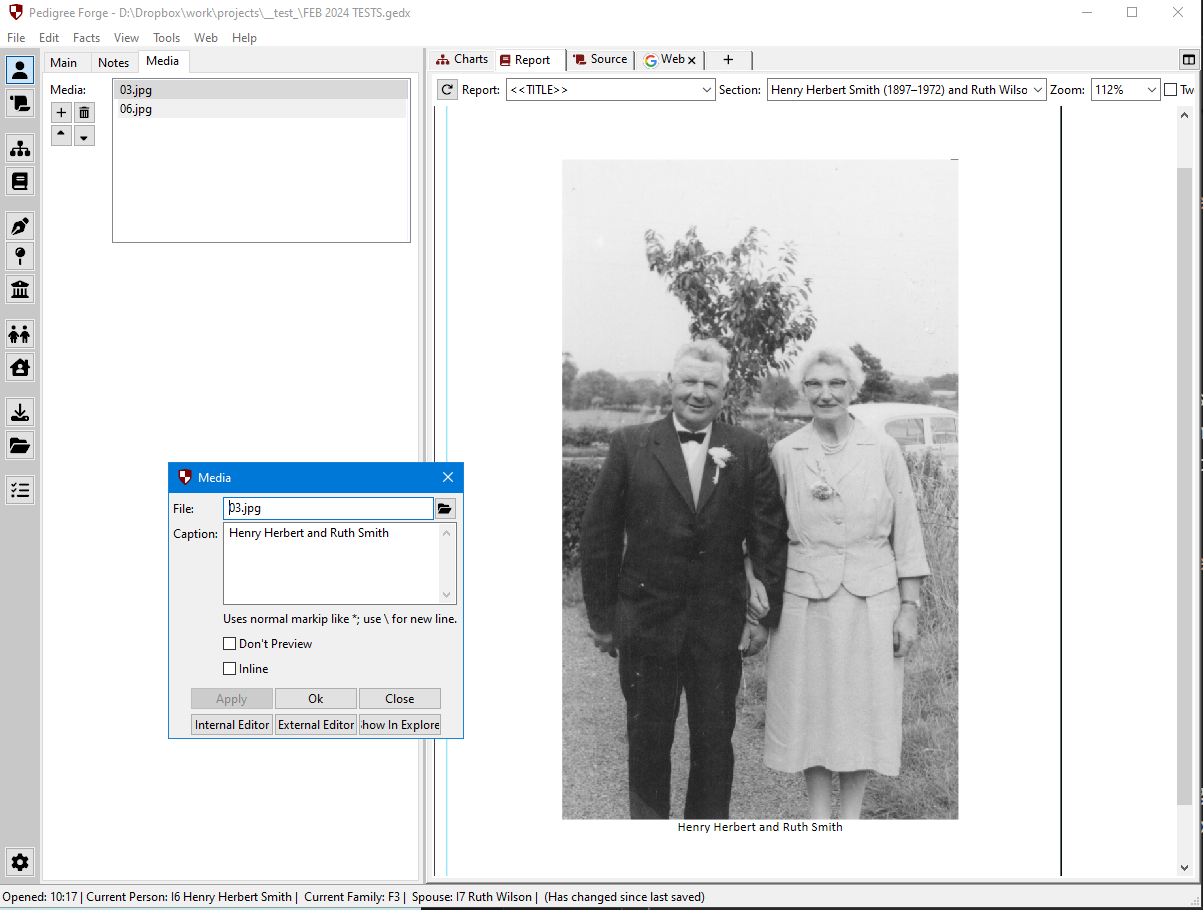
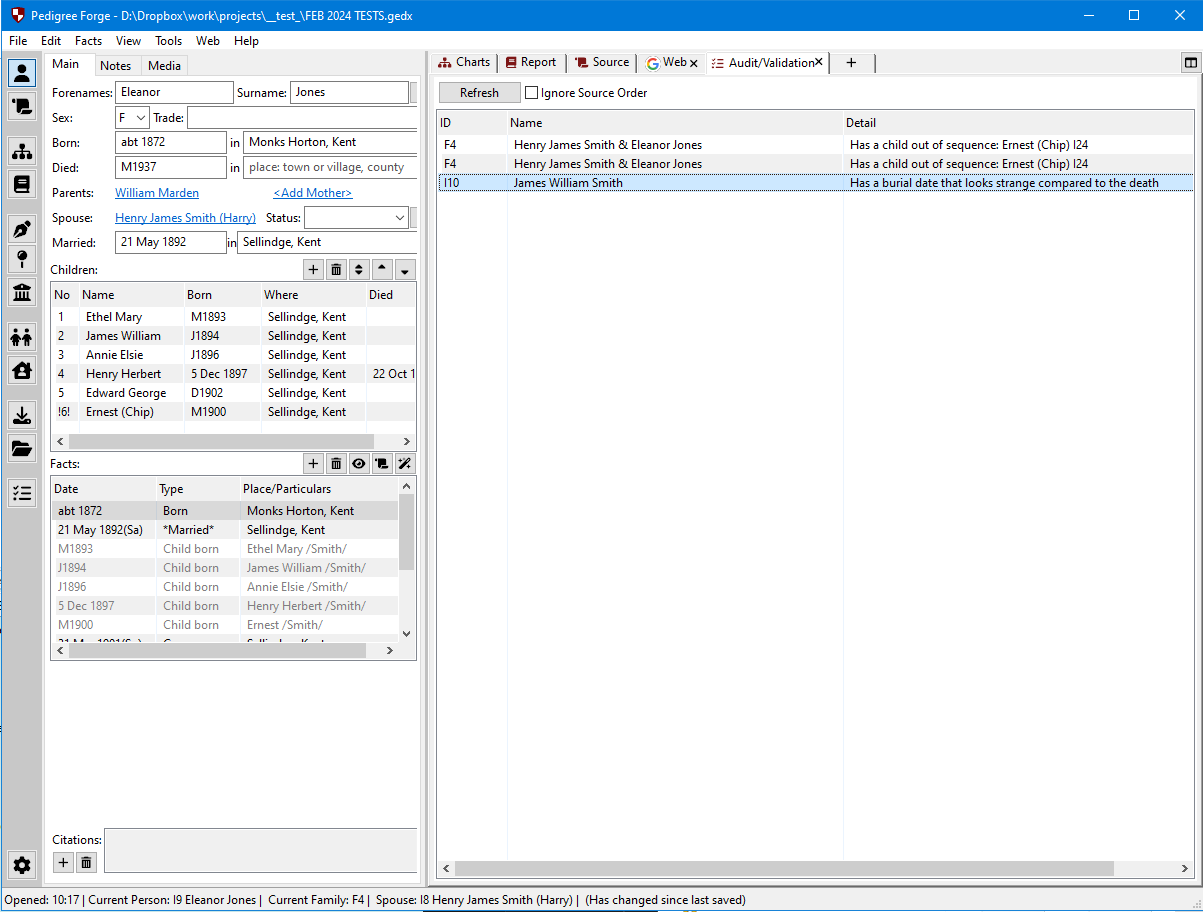
Pedigree Forge checks as you go. A problem with the record in front of you appears as a message in the status bar rather than waiting until you think to run something, and from there you can go straight to the fact it refers to, deal with it, or tell the program to stop raising it. Warnings are graded, so a genuine error is distinguished from something merely worth a second look.
There is also a full audit across the whole file, for when you want to see everything at once — what is missing, what does not add up, and what has been left half-finished. It tells you; it does not change anything without you.
User Benefit: Gain confidence in the quality of your research by running regular audits to catch any mistakes or missing details, helping maintain professional standards.
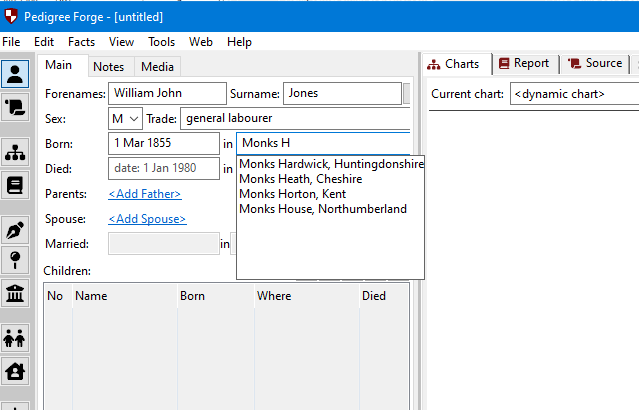
Save time on data entry with auto-completion for various fields, including British place names, occupations, and common names, ensuring consistency and accuracy.
User Benefit: Increase efficiency by reducing manual entry errors, allowing you to focus on the bigger picture of your family history research.
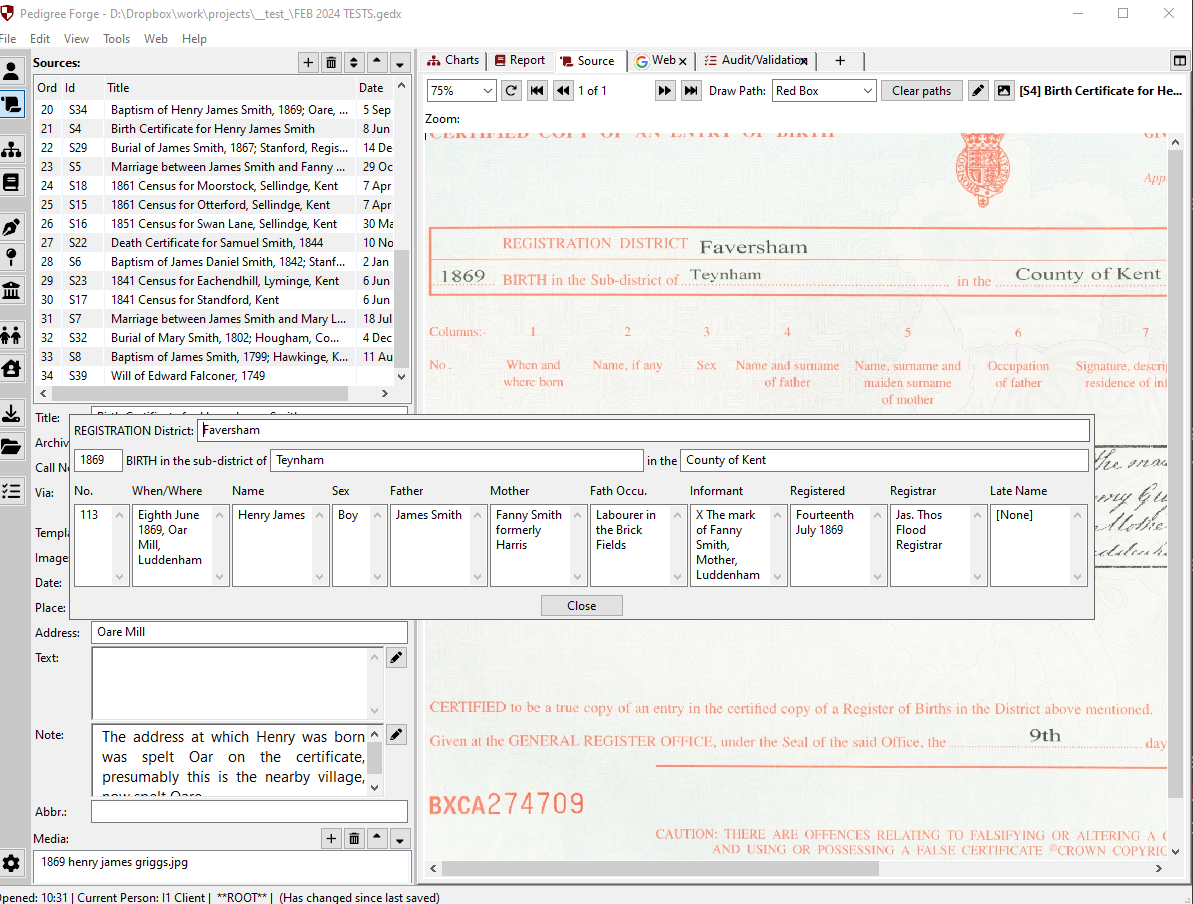
Use built-in templates for common British genealogical sources, such as censuses, General Register Office (GRO) certificates, and parish registers. These templates simplify the process of adding new records and ensure consistent formatting.
User Benefit: Simplify the recording of British records with ready-made templates, ensuring all important details are captured accurately and consistently.
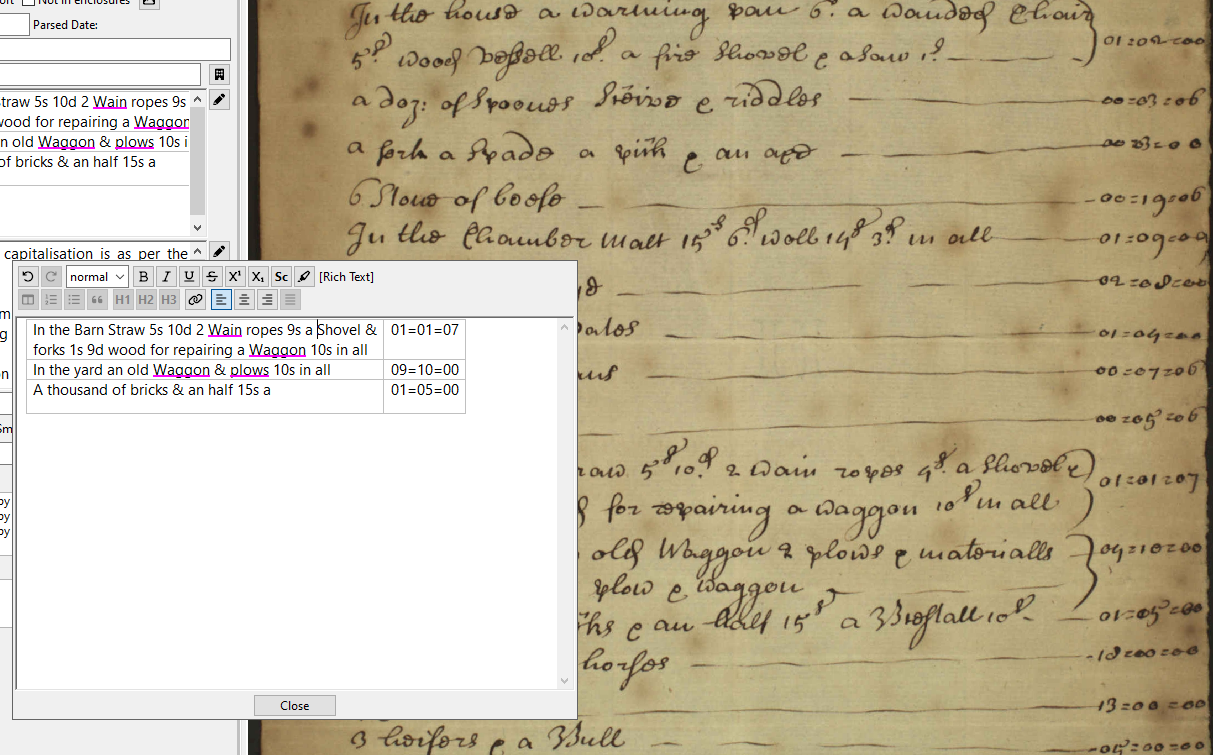
Pedigree Forge includes a built-in GB English spell checker to ensure your written content is error-free, tailored specifically to British spelling conventions. However, we recognise that genealogists often have to transcribe historical documents that contain misspellings or archaic spellings. To help with this, Pedigree Forge allows you to flag words to be ignored during spell checks without adding them to the dictionary. These flagged words will be underlined in magenta, clearly indicating that they were transcribed exactly as found in the original document.
User Benefit: Ensure your transcription work is accurate while maintaining a professional standard for modern text. With the magenta underline feature, you can easily distinguish transcribed spellings from errors, making your reports both faithful to historical sources and polished for modern readers.
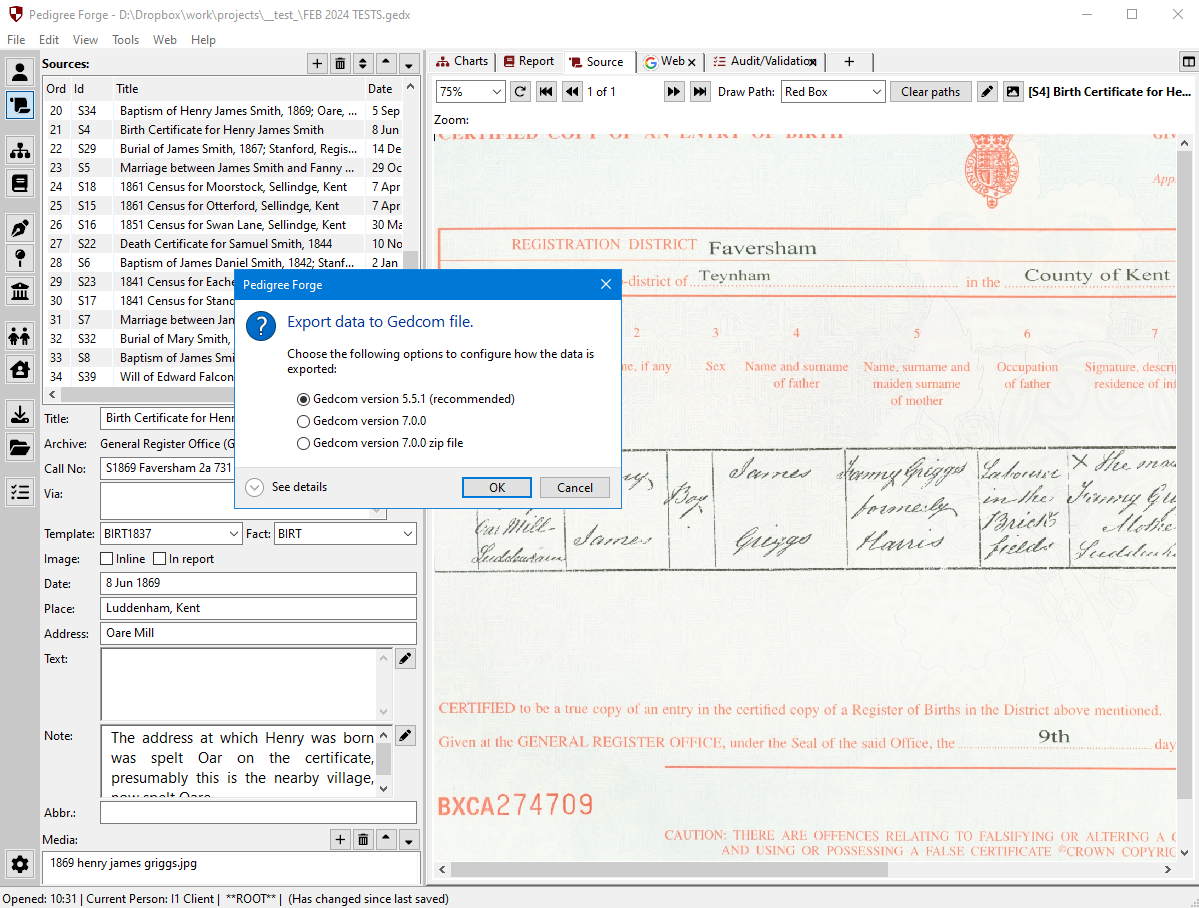
Easily import or export GEDCOM files, making it simple to transfer your data from other family tree software or share it with collaborators.
User Benefit: Integrate your data with other genealogy software or share your findings with family or clients using the de facto GEDCOM format.
And much, much more, with new features too!
Pedigree Forge has a query language of its own, running over the whole file — people, families, facts, sources, archives and places. It lets you ask questions of your own research rather than only the ones the program thought to offer, and send the answers out as PDF, CSV, TSV or HTML.
It also runs Lua scripts, which can add your own tools, reports and queries to the program. A script can build its own dialog bound directly to your records, and the binding works both ways — the dialog shows what is in the database, and writes your changes back to it. Between the two you can interrogate your data however you like, and build your own way of editing whatever you work with most.
Pedigree Forge includes an AI assistant: a chat panel that can answer questions about genealogy, read your project, and make changes to it on your instruction. It is not a search box or a wizard — it is a conversation with a capable but fallible research assistant who has been given the keys to your filing cabinet.
You bring your own key. Pedigree Forge does not sell AI, resell it, or include it in the price. You open an account directly with Anthropic or OpenAI, paste the key they give you into Pedigree Forge, and they bill you for what you use. You can see the usage on your own provider account and revoke the key at any moment. The whole feature can be switched off.
It reads your project, and it can change it. It has read access to essentially everything in the open project, and it can create, edit and delete people, facts, notes, sources and citations, and link and unlink relationships. It does not ask permission before each change. Save your project and take a backup before you use it.
What it reads is sent to your provider — including the names, dates and places of living people, if those are the records it looks at. Nothing is sent until you send a message. Your key is stored on your own computer and goes only to the provider it belongs to.
It is experimental, and it makes mistakes. AI models state incorrect facts with complete confidence. Nothing the assistant tells you is evidence; it is a lead to be checked, exactly like a stranger’s online tree.
It suits people who have used this kind of AI before. An API key is a developer’s tool: you open an account with the provider, add a payment method, and generate a key — it is not the same as subscribing to ChatGPT or Claude. The assistant also rewards a particular way of working: give it a narrow task, ask it to report before it acts, check what it did, then repeat. If you have not used agentic AI tools before, start by asking questions only, and let it write nothing until you have a feel for how it behaves.
Curious about the architecture, file formats, scripting and everything under the bonnet? There’s a dedicated page for the technically minded.
Technical Information